
Ratecast in RateView provides short- and long-term rate forecasts to support pricing decisions.
What Ratecast Does
- Shows forecasted spot rates for the next 8 days
- Provides up to 52 weeks of forecasted rates
- Supports bid preparation for RFPs
- Helps compare pickup timing within a week
How to Access Ratecast
- Log in https://iq.dat.com/.
- Select Rateview from the left hand side menu.
- Choose the equipment type.
- Enter the origin and destination.
- Click Search.
- Open the Forecast tab.
You can also select Historical to view rate trends for the past 13 months.
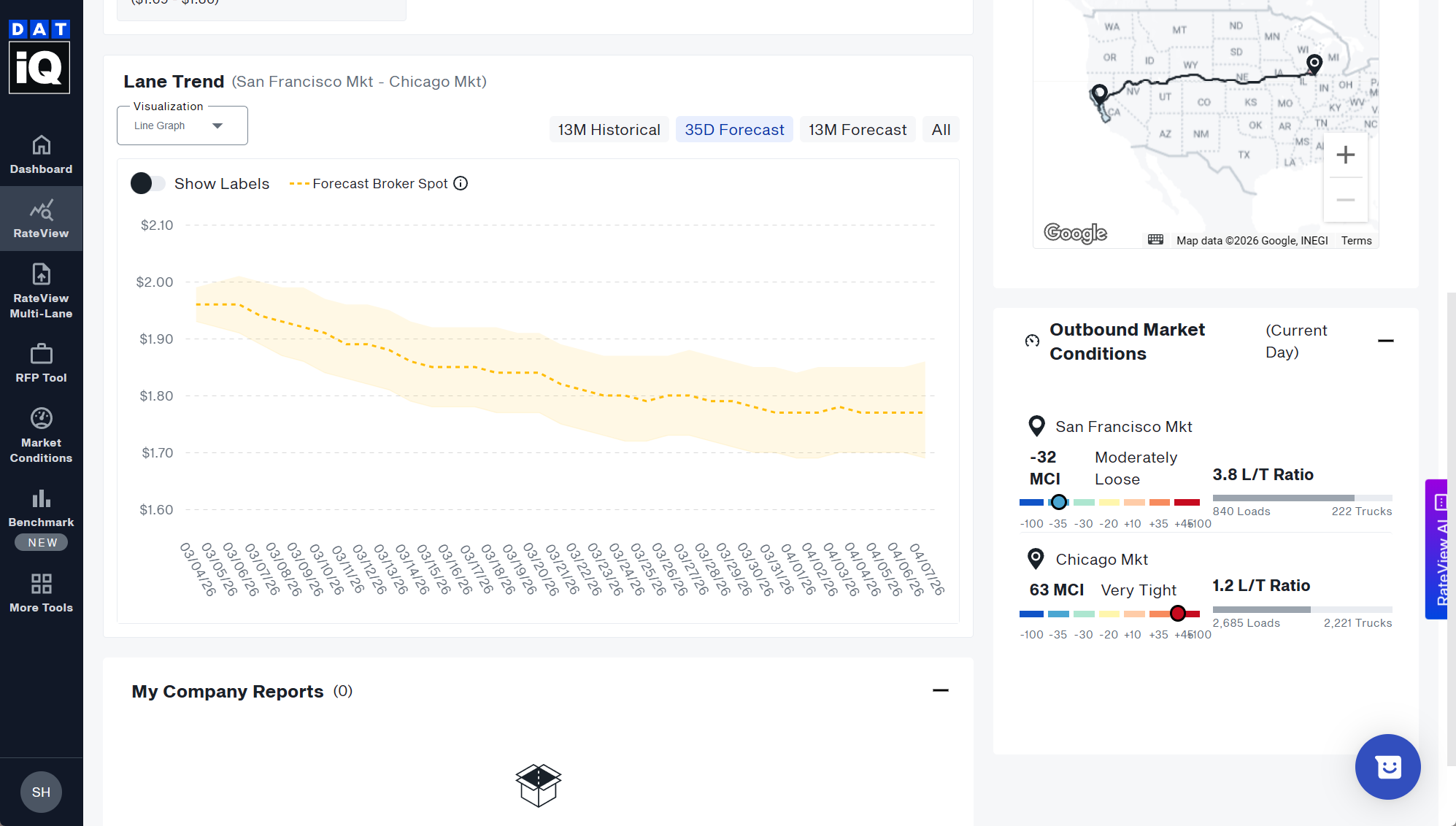
Understanding the Graph
- Dots represent the median forecast rate for each day.
- The shaded area shows the upper and lower forecast range.
Forecasts account for:
- Seasonal patterns
- Day-of-week patterns
- Business cycle patterns
- Real-time market updates (refreshed daily)
Ratecast does not predict natural disasters but adjusts as market data changes.
Comparing Forecast and Historical Rates
When comparing:
- Historical data is shown only if a minimum number of reports is available.
- Historical rates include fuel surcharge.
- Forecast rates do not include fuel surcharge.
To compare correctly, select Subtract Fuel Surcharge on the right.
Confirm the market area shown in the top left before reviewing data.
Using Ratecast for Bids
- Use the 8-day forecast for near-term spot pricing.
- Use the 52-week forecast for longer-term bids.
- For multiple lanes, request a custom report from the data analytics team.